Role
Product Design Lead
Team
Microsoft · Surface Hub
Hardware
First-gen Surface Hub prototype
Status
Foundational — unshipped
Overview
A whiteboard that remembers
The OneNote Whiteboard app turned the Surface Hub — Microsoft’s wall-sized, pen-and-touch display — into a shared canvas. Sketch, write, drop in a picture or a document, and the board saved itself to OneNote as you worked. Handwriting could become typed text on command; a rough shape could snap straight. And because it lived in OneNote, the whiteboard didn’t end when the meeting did — it went home with everyone in the room, and everyone dialed in.
The context
A classified program, held together with hot glue
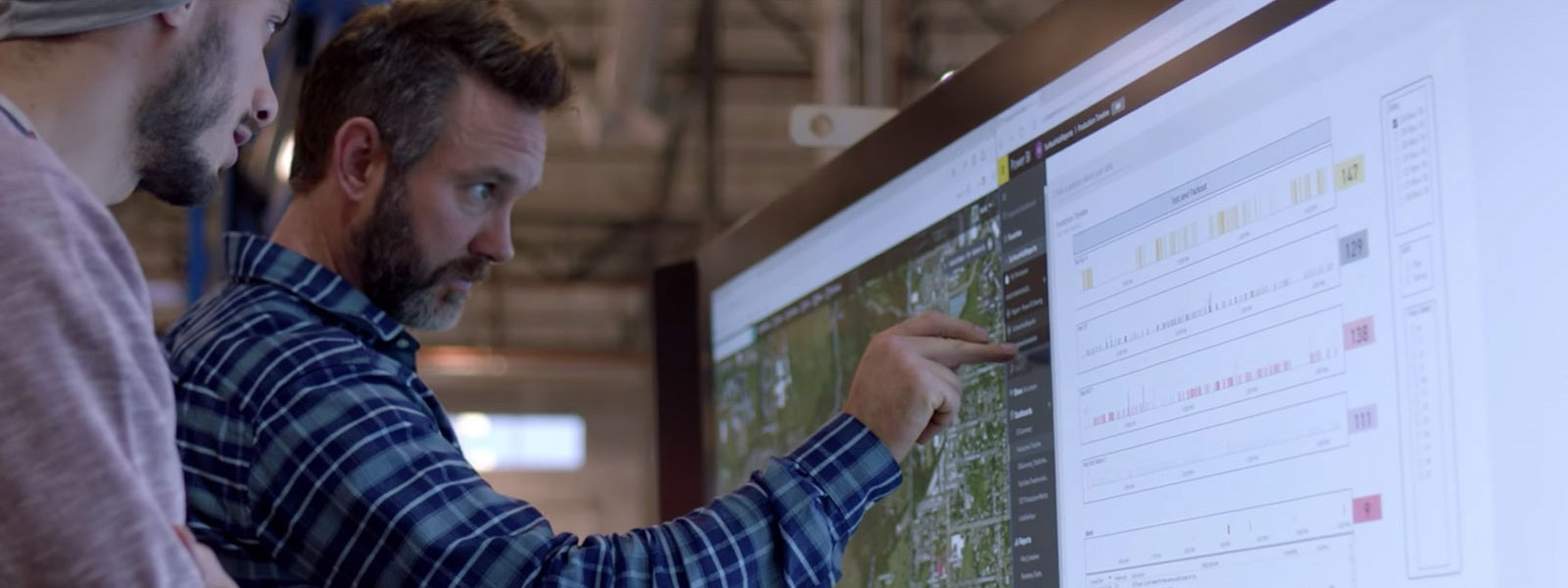
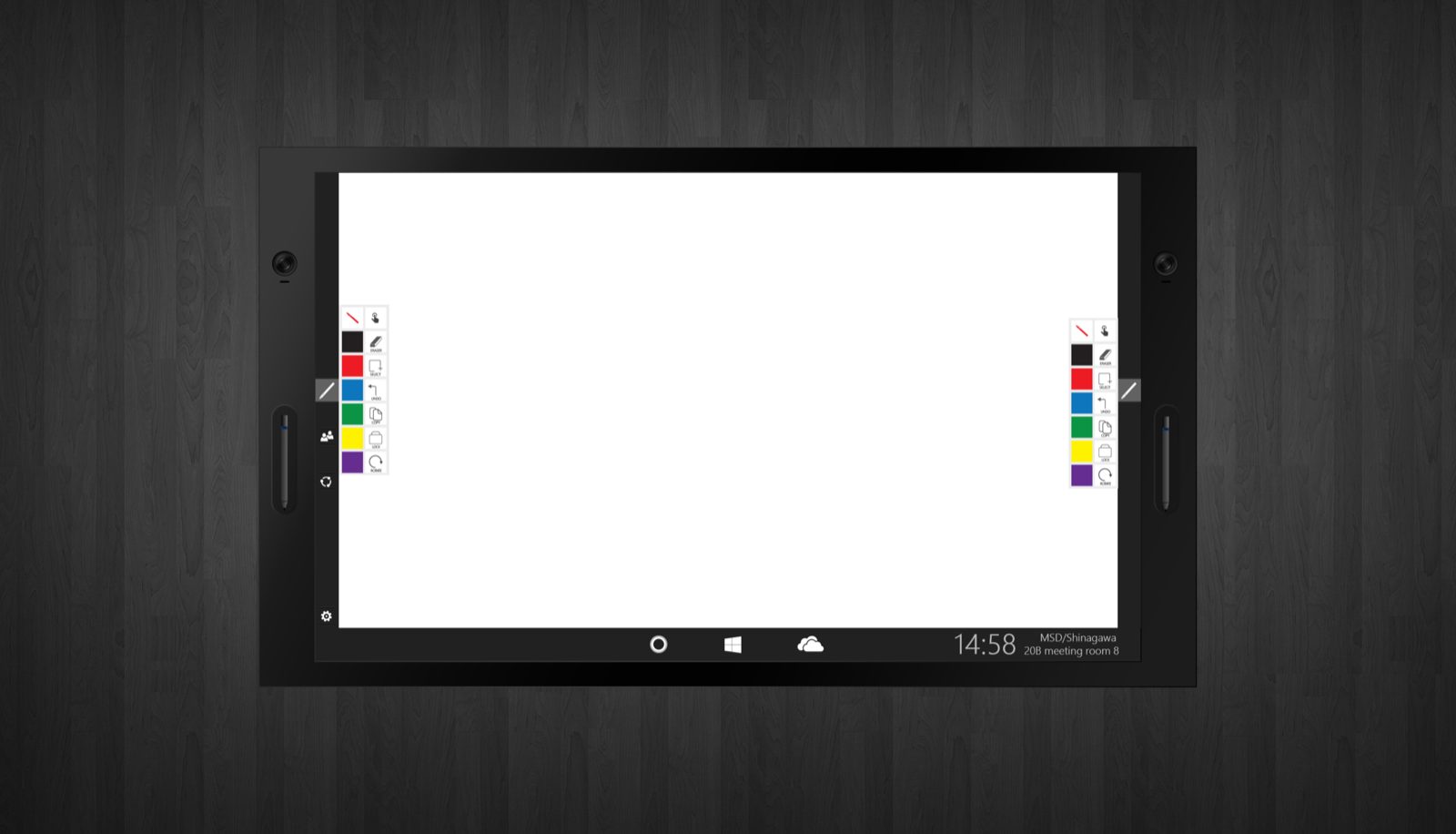
This was early — early enough that the first prototype I designed against was, almost literally, held together with a hot-glue gun. The Surface Hub program was a classified collaboration between Office and Microsoft’s hardware side: a 70-inch 4K touchscreen with cameras, multiple pens you could assign to individual people, and the company’s conferencing platform built in — so a video call could turn into a working session in the same breath.
That same idea scaled all the way down. It’s the DNA of the Surface devices Microsoft sells today, and the giant collaborative displays it grew into are still core to the Office ecosystem. I was in it at the beginning.
Why me
A whiteboard is a capture problem
I was brought onto it off my capture work on Office Lens — and a whiteboard is a capture problem too. The thinking on a board is worthless the moment it’s erased, unless something catches it. So the job was the one I already knew: catch what matters, clean it up, and drop it where people already work — here, straight into OneNote, with OCR on command and hand-drawn lines straightened on the spot.
You can’t design for a wall-sized, multi-user, pen-and-camera device from a spec sheet, so I made a trip to a secure facility in Redmond to actually stand in front of one and use it. Eventually a unit came to us in Tokyo — two pens, one on each side, each assignable to a person — and the abstract problem became a physical one I could design against.
The scenario
Two people, one board, two rooms
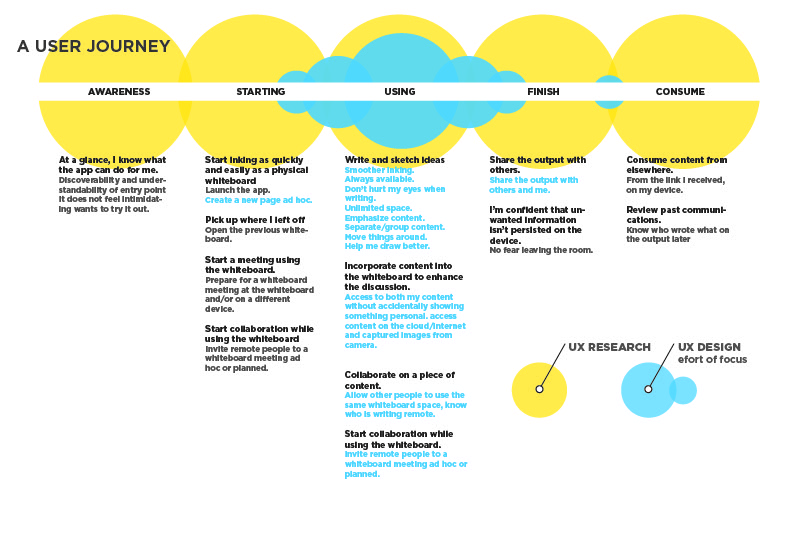
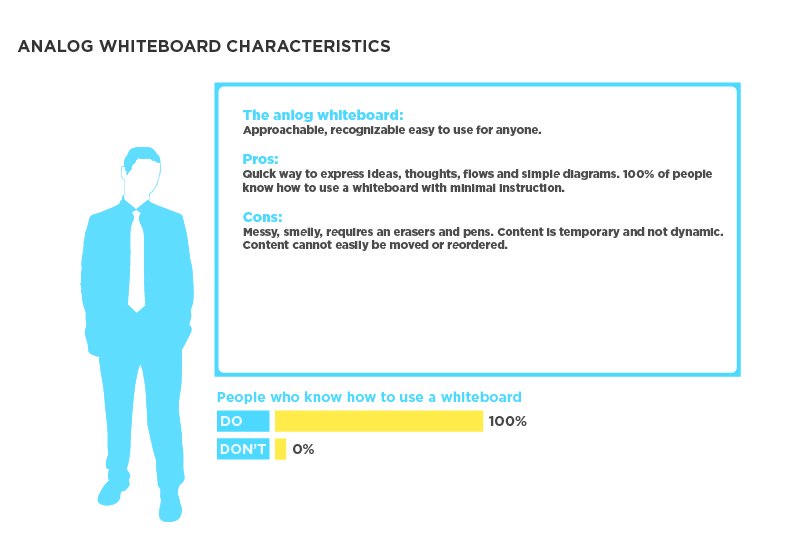
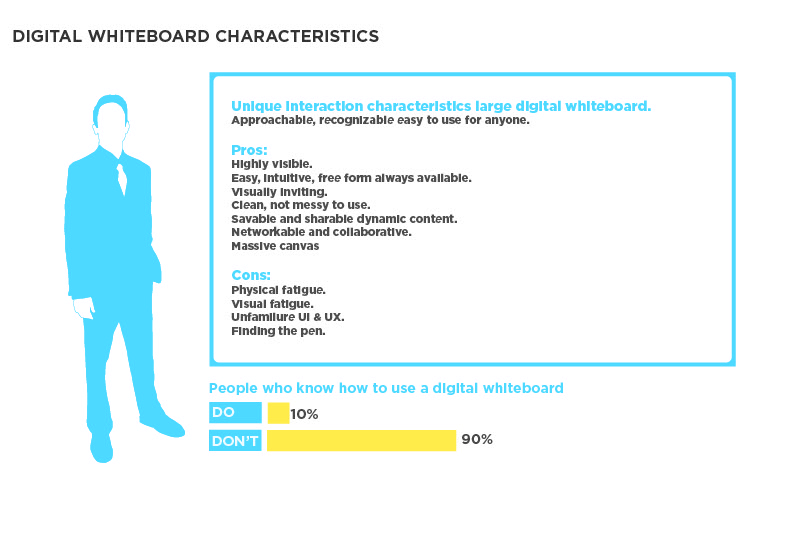
I worked in tandem with a research partner — mapping how people actually use whiteboards, then building the journeys from there to pinpoint where design effort would matter most. The scenario that mattered most wasn’t one person sketching alone. It was two people solving something together, when one of them isn’t in the room.
Nadia, at the board
Product lead · running a working session
“The best thinking happens at the board. It shouldn’t die there when the meeting ends.”
Amazing =The whole room — and the person dialed in — thinking on one live board that saves itself.
Goals
- Sketch, write, and pull in documents on one shared surface.
- Keep the remote teammate a real participant, not a spectator.
- Walk out with the thinking captured — no one playing scribe.
Frustrations
- Physical whiteboards get photographed, then lost in a camera roll.
- Remote colleagues can’t see, let alone touch, the board.
- Someone always has to re-type the notes afterward.
The moment that matters
- The session ends and everyone needs the board — instantly, everywhere.
- It has to already be in OneNote, readable, and theirs.
The flow
From a blank board to everyone’s notes
The session, boiled down. The whole point is that the last step isn’t a step — the capture happens on its own.
- 01Start a boardPens assigned to people
- 02Work on itInk, images, documents
- 03Everyone’s in itIn the room and dialed in
- 04Make it legibleOCR + straighten, on command
- 05It’s already savedLive, into OneNote
- 06It goes homeWith everyone, everywhere
The design
Explorations, hand-built
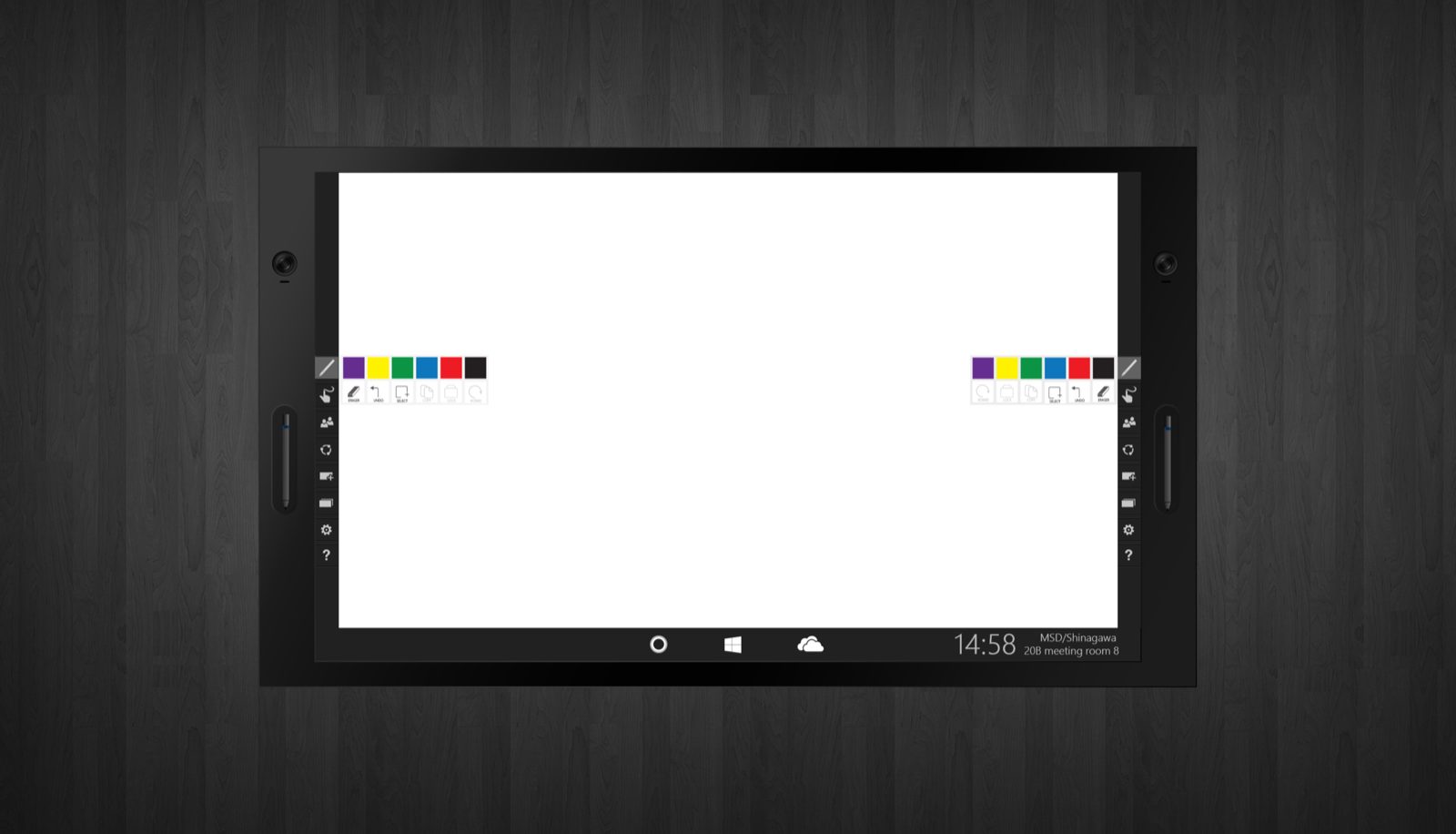
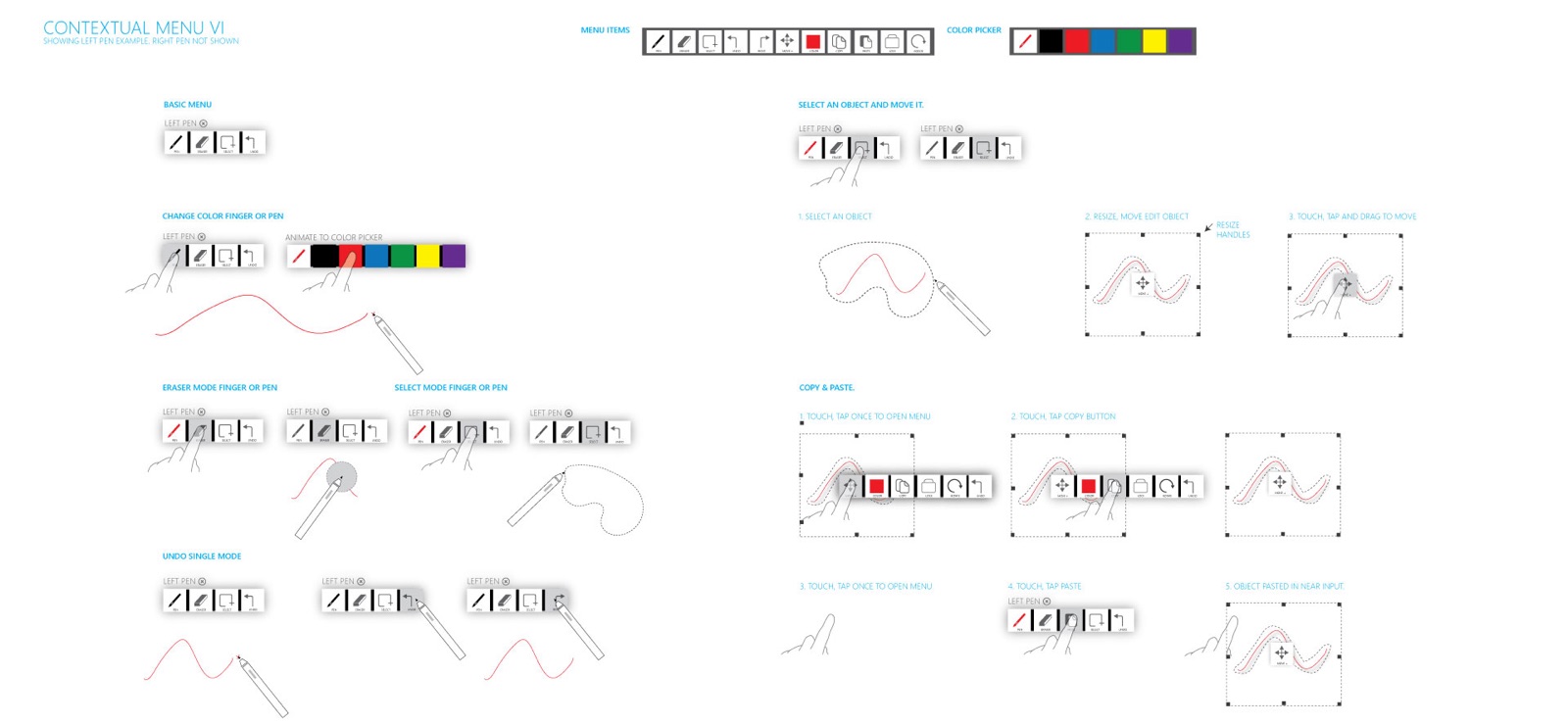
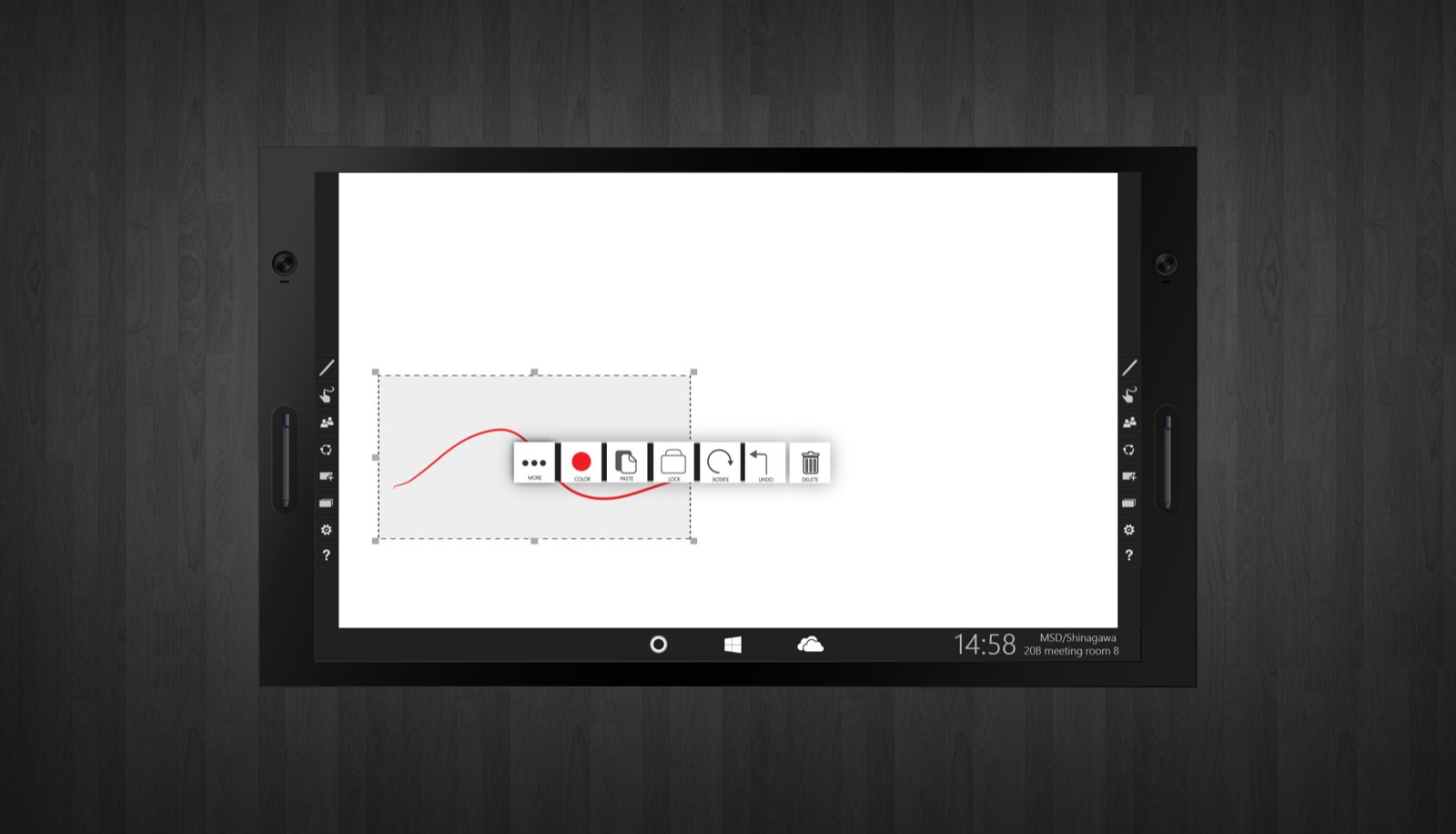
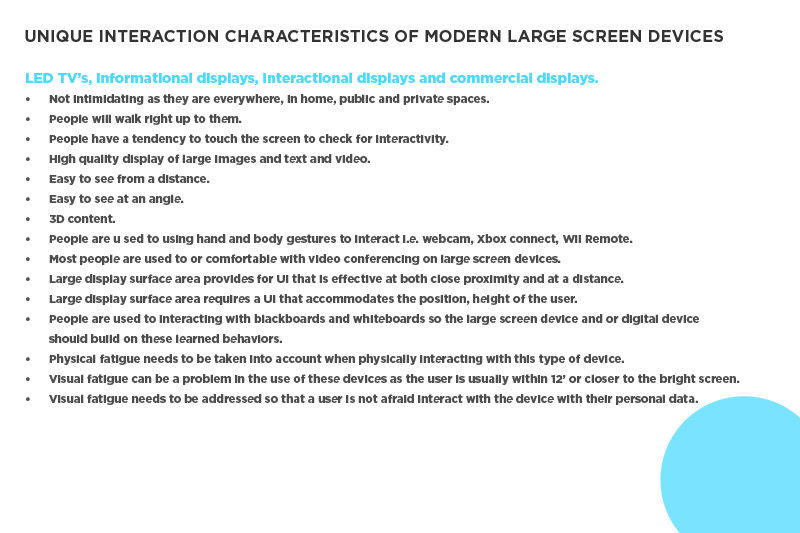
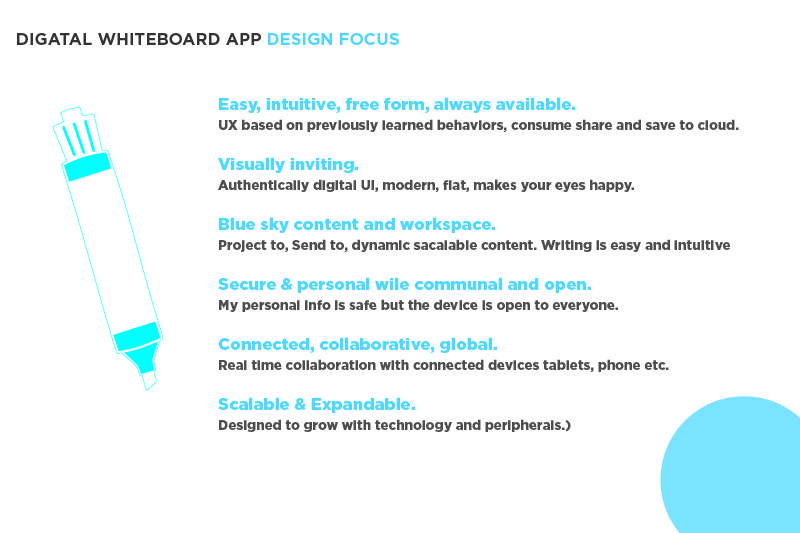
What follows is the work: the research findings I turned into a shared plan for how design and research would move forward together, and the interface explorations for a collaborative whiteboard — the canvas, the assignable pens, the contextual tools for turning ink into text and shapes. All of it drawn by hand, years before Figma boards and AI made exploration cheap.
Not every case study ends with launch numbers.This one is here because foundational work counts — the research partnership, the journey maps, and the interface explorations that shaped what came after.
Epilogue
Unshipped, not undone
I didn’t get to ship this one — a shift in team direction ended the project before release. But the thinking didn’t stop. The collaborative-whiteboard idea this work explored is alive and evolving inside Microsoft to this day, and the wall-sized Surface displays it began as are now a permanent part of how the company works. I was there when the first one was held together with hot glue. Some of the best work you do never ships; it just shows up later, in someone else’s release.